I've seen it more times than I can count: a beautifully designed space with great lighting, a solid AV system, motorized shades, maybe a few climate zones — and four completely separate ways to control all of it. A lighting app on one tablet. A different remote for the shades. A touch panel for AV that nobody but the AV guy understands. Facilities staff end up either mastering all four systems (rare) or quietly giving up on the ones that are too much trouble, which is how you end up with shades that never move and lights that stay on one setting for years because nobody remembers how to change them.
That's not a hardware failure. Every one of those systems probably works fine on its own. It's an integration failure — nobody designed a single point of control that ties them together, so the building ended up with four islands instead of one system.
The Real Cost of Fragmented Control
When lighting, AV, shades, and other building systems each live behind their own interface, the cost shows up in three places. First, training — every new employee or facilities hire has to learn multiple disconnected systems instead of one logical interface, and that training rarely happens thoroughly, so most people only ever learn the basics of each. Second, support tickets — when four systems don't talk to each other, troubleshooting means figuring out which of the four is actually misbehaving before you can even start fixing it. Third, and most overlooked: underused investment. A building can spend real money on automated shades or a sophisticated lighting scene system, and if the control is clunky enough, staff simply stop using it and revert to manual overrides, which defeats the entire purpose of installing it.

What Unified Control Actually Means
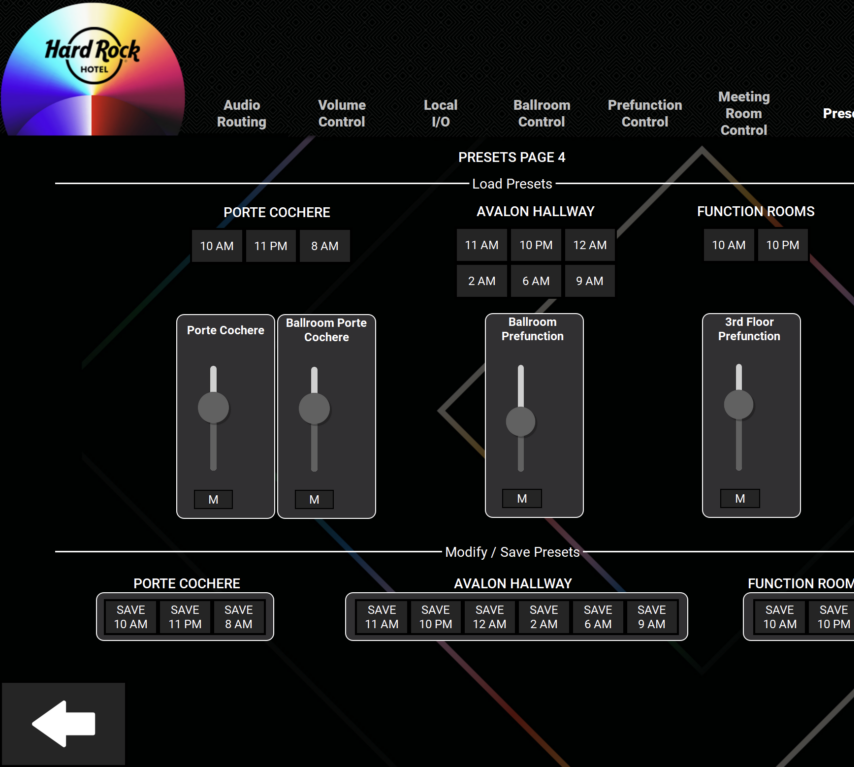
Unified building control doesn't mean ripping out every existing system and replacing it with one brand. It means putting one control platform — usually a processor-based system with a touch panel, wall keypad, and mobile app — in the middle, and having it speak the native protocols of the AV gear, the lighting controller, the shade motors, and whatever else needs to be included. From the user's perspective, there's one "Conference Room 4" button that dims the lights, lowers the shades, and powers on the display in the right input, all in one tap. From a facilities standpoint, there's one dashboard showing the status of every system in the building, not four separate logins.
This is where the real value of an AV control system shows up — not just running the projector, but acting as the connective tissue between systems that were never designed to talk to each other. A well-built driver layer lets a single processor issue commands to a lighting system over one protocol, a shade motor over a completely different one, and an AV matrix switcher over a third, all triggered from the same button press.
Nobody wants to become an expert in four different building systems. They want one button that does the sensible thing, every time.
Designing Scenes, Not Just Switches
The other shift that makes unified control genuinely useful, rather than just consolidated, is designing around scenes instead of individual toggles. "Presentation Mode" dims the lights to the right level for screen visibility, lowers the shades to kill glare, and switches AV to the laptop input — one command, several systems responding correctly together. "End of Day" turns everything off, closes the shades, and confirms nothing was left running. Getting these scenes right takes actually walking through how a room gets used, not just wiring switches to a panel and calling it done.
- One interface for AV, lighting, shades, and other integrated systems per room or zone
- Scene-based control (Presentation Mode, End of Day) instead of individual toggles
- A single facilities dashboard showing system status building-wide
- Consistent control logic across every room, so staff only learn it once
- Remote diagnostics that flag a fault at the processor level before staff notice
The building automation integration underneath all of this can get genuinely complex — different manufacturers, different communication protocols, systems installed years apart by different vendors. That complexity is exactly why it should be hidden behind one interface rather than exposed to the person just trying to start a meeting or close the shades before a sunset glare hits the screen.
Where This Pays Off
The buildings that get the most value out of their AV and automation investment are the ones where staff actually use every system that was installed, because using it is simple. That's the entire case for unified control — it's not about adding more technology, it's about making the technology you already paid for actually get used, consistently, by people who were never trained as AV technicians and shouldn't have to be.
If your building has AV, lighting, and shades all fighting for separate remotes and separate apps, that's a solvable problem without replacing the underlying hardware. Our AV integration team designs unified control systems that tie it all together under one interface. Get in touch and let's talk about consolidating what you've already got.